

nyteshift is
an AI studio
where
ideas turn into
working systems.
I'm Addel. I love connecting platforms and designing systems, and I dabble in digital design too. This site's one of mine, so I hope you enjoy it.
What I do
-
Automation and workflows
I connect your tools and automate the repeatable steps, so your team spends less time copying information and chasing updates.
Let's talk workflows -
AI agents and custom systems
Agents that handle multi-step jobs, and custom tools that bring scattered work into one place.
Let's talk about what you need -
Websites and interfaces
Websites people notice and know how to use. I design and build the layouts, interactions and details that make the whole experience work.
Let's talk websites
Projects
-
Automation
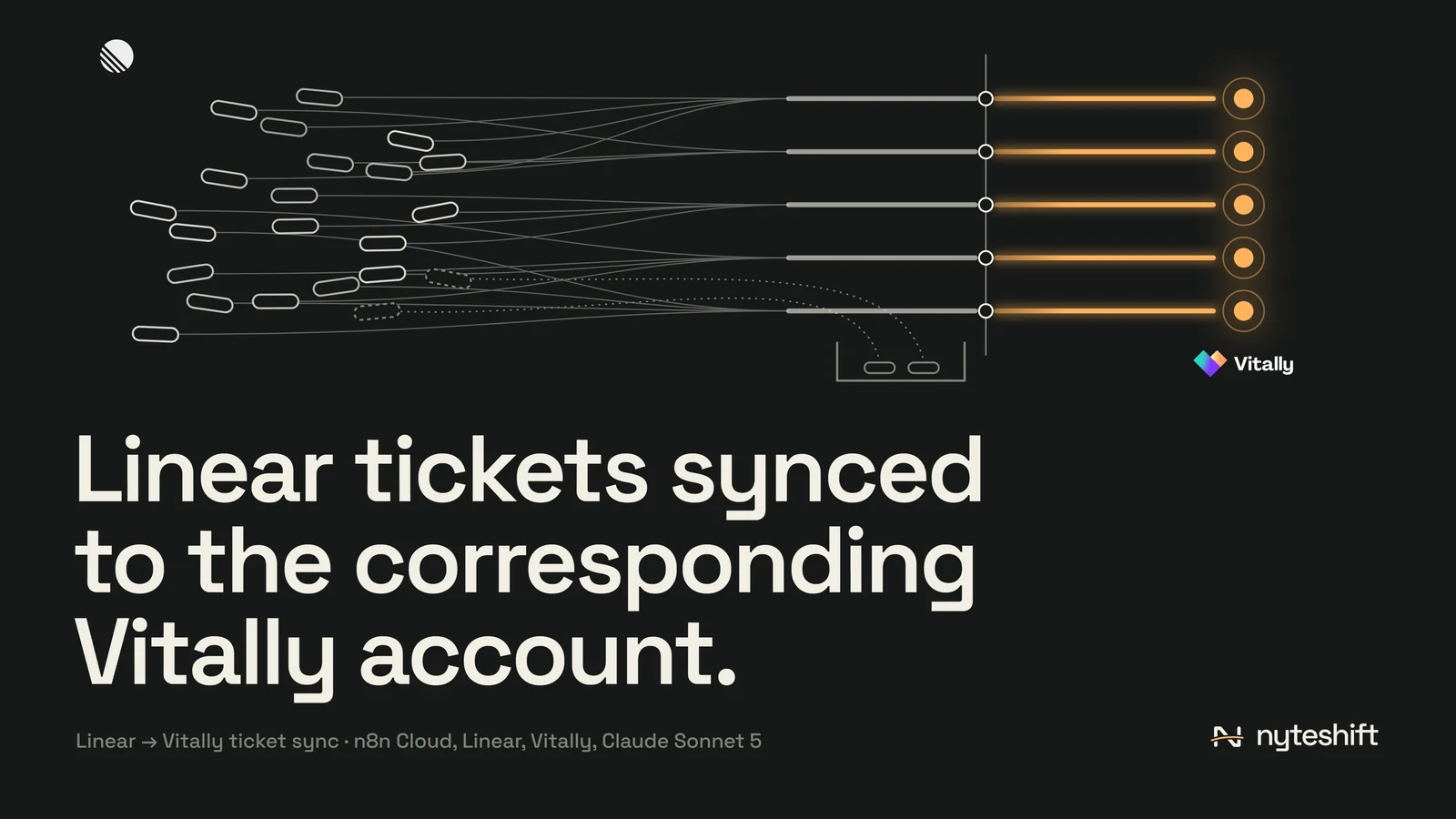
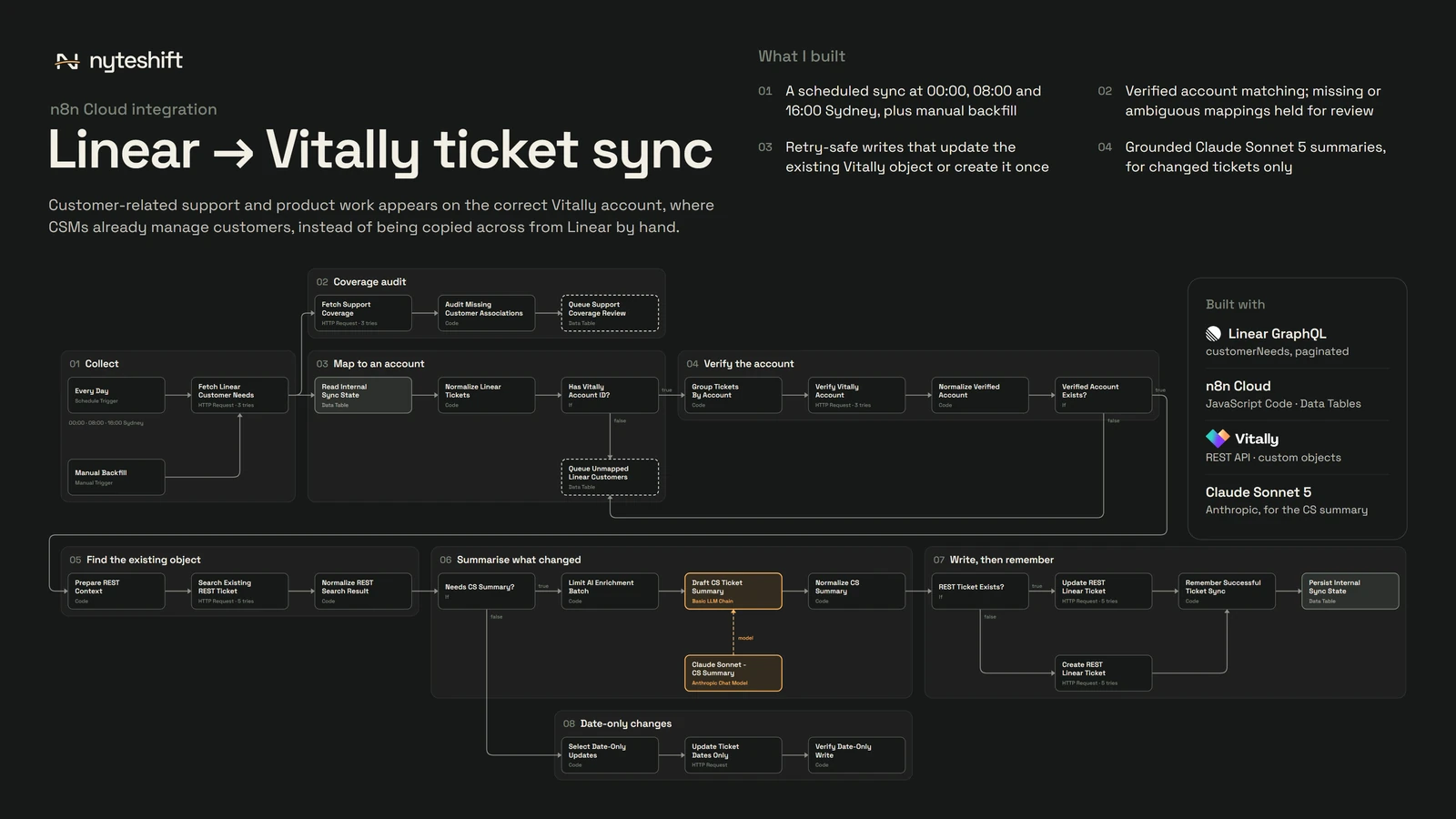
Linear + Vitally
![The Linear to Vitally ticket sync case study: what I built, the tools it runs on, and the whole n8n workflow in eight stages, from collecting Linear customer needs to writing on the verified Vitally account.]()
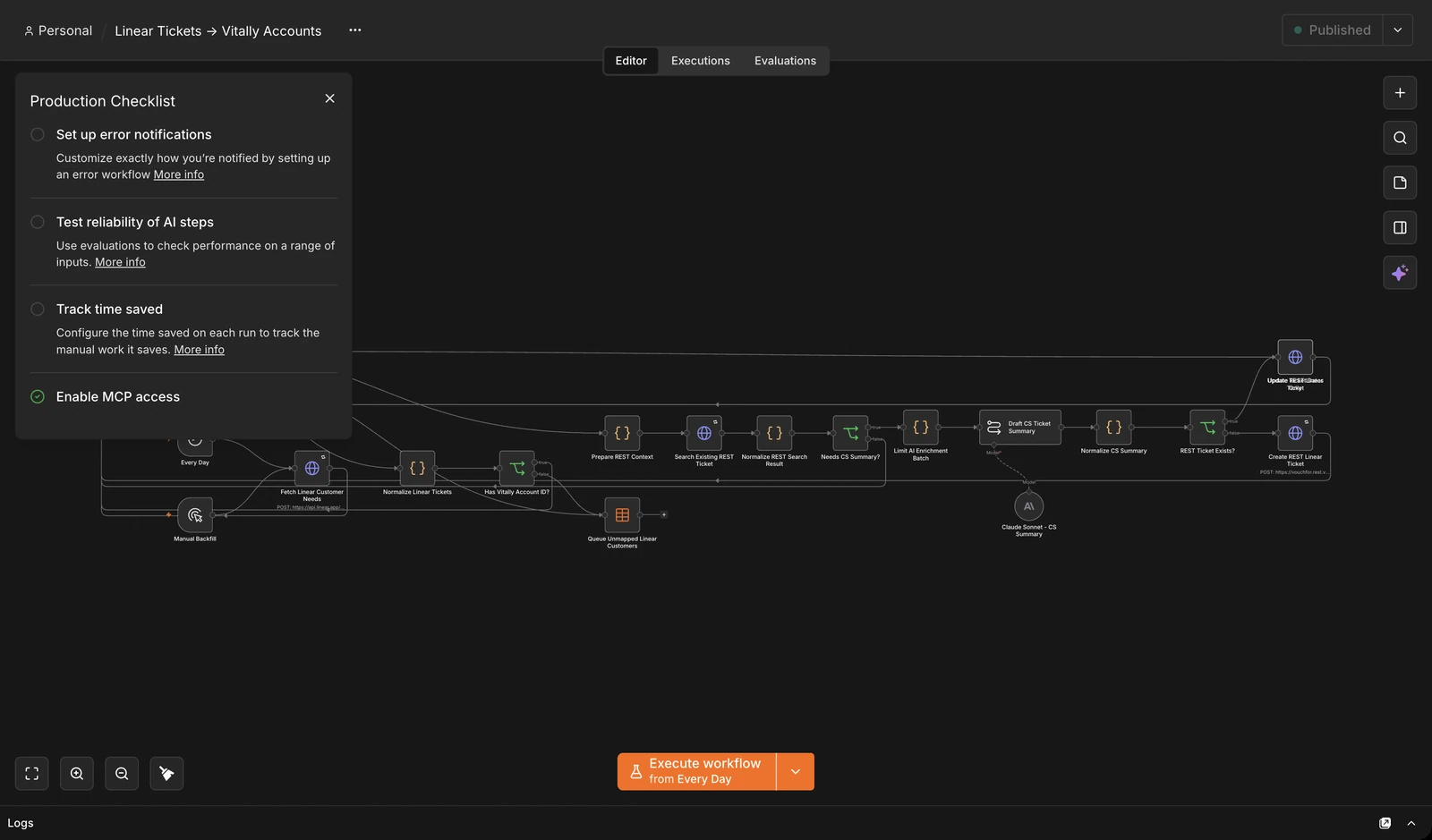
![The published Linear Tickets to Vitally Accounts workflow in the n8n editor, as it is, with n8n's production checklist open over its left side.]()
- The problem
- A customer asks how their bug or request is going. The answer is in Linear, but the account team works in Vitally.
- What I built
- An n8n integration that brings each customer's Linear issues into Vitally, with status, priority, owner and a link back to the original.
- What changed
- The team can check progress on the account before a call, without asking around or copying tickets into another tracker.
-
AI agent
Inbox agent
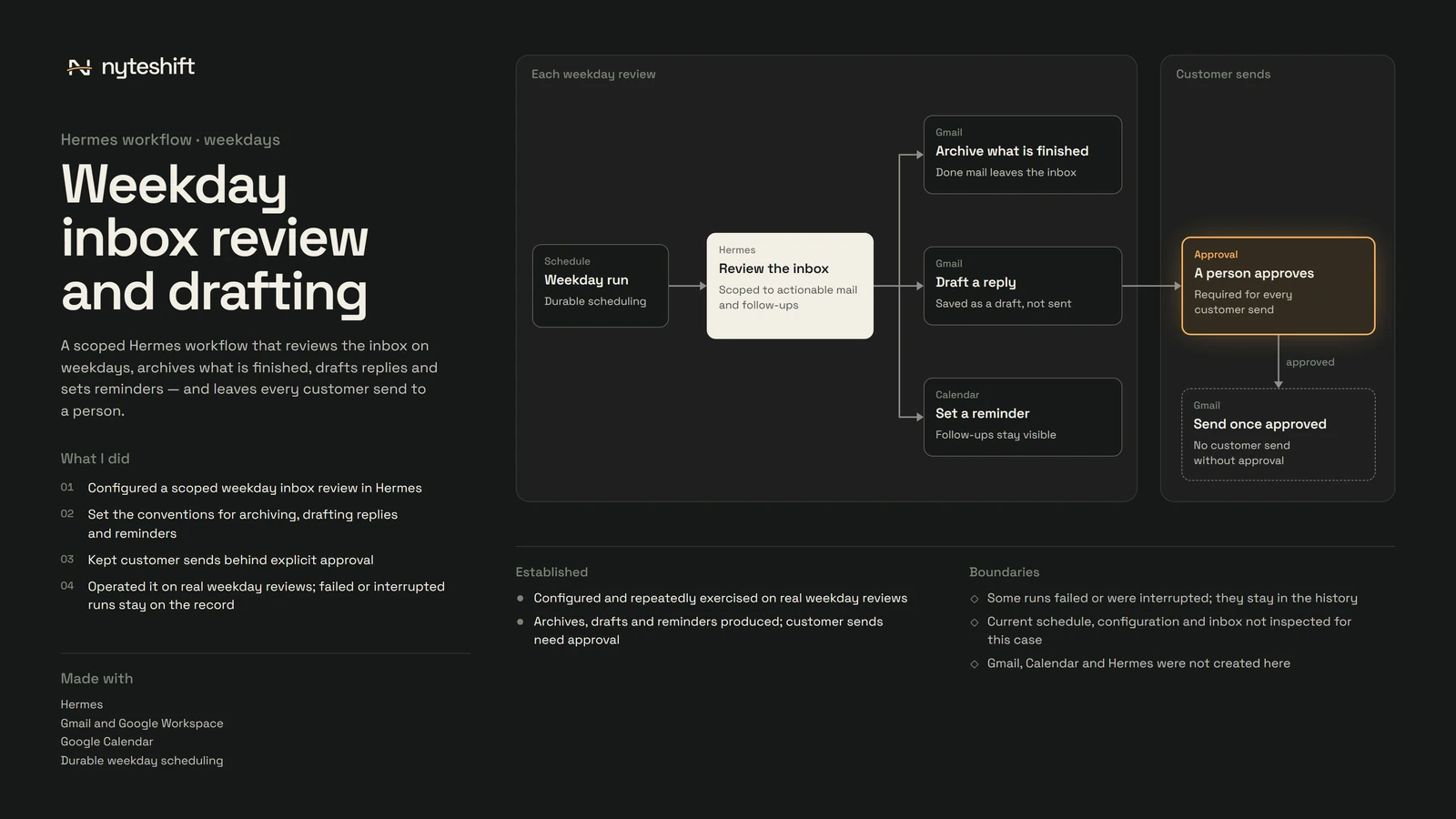
![The weekday inbox review and drafting case study: what I did, what it is made with, what is established and its boundaries, beside a diagram of the review.]()
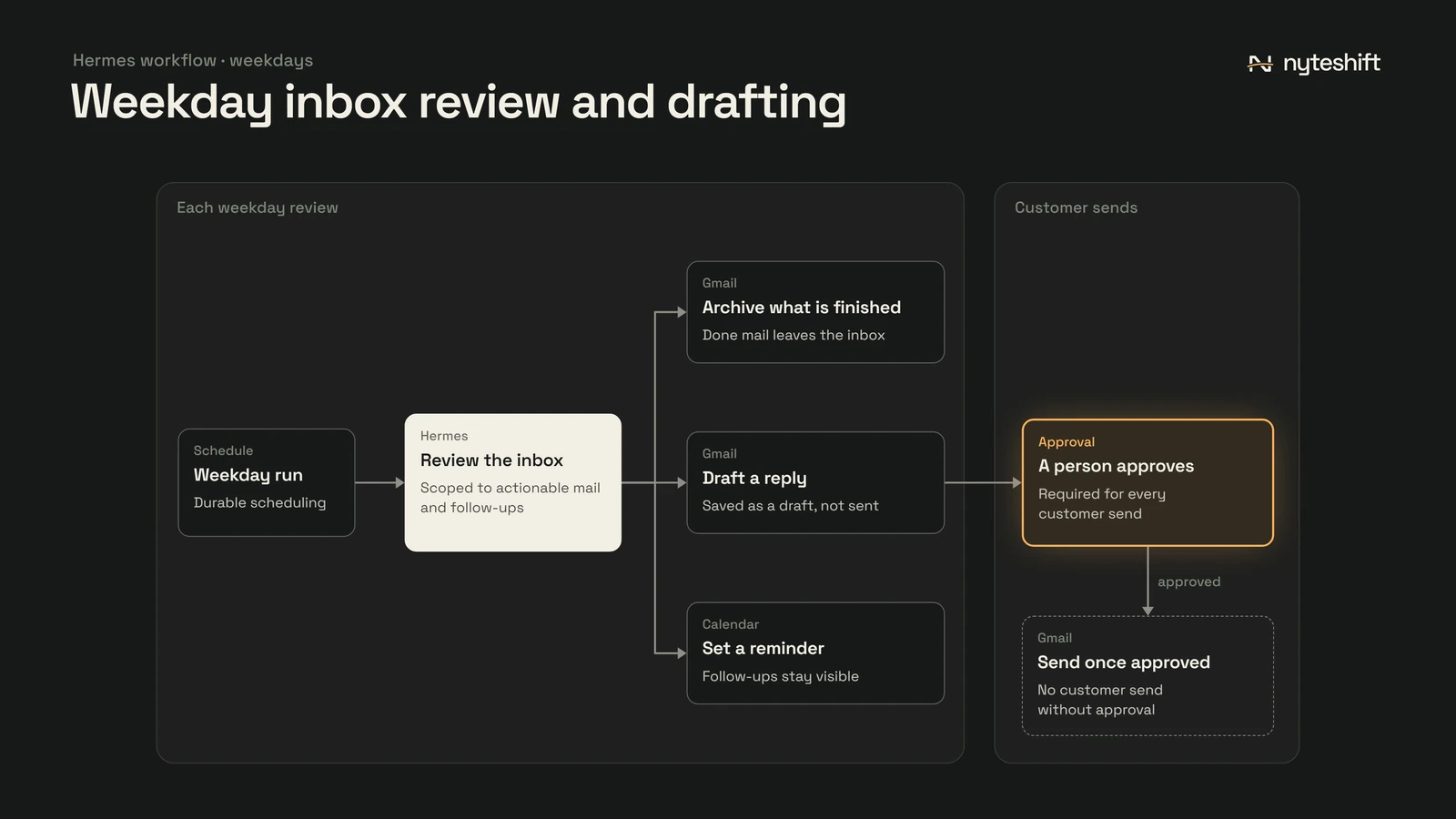
![Diagram of the weekday review: a schedule starts Hermes reviewing the inbox, which archives finished mail in Gmail, drafts a reply and sets a reminder in Calendar. Any customer send waits for a person to approve it.]()
- The problem
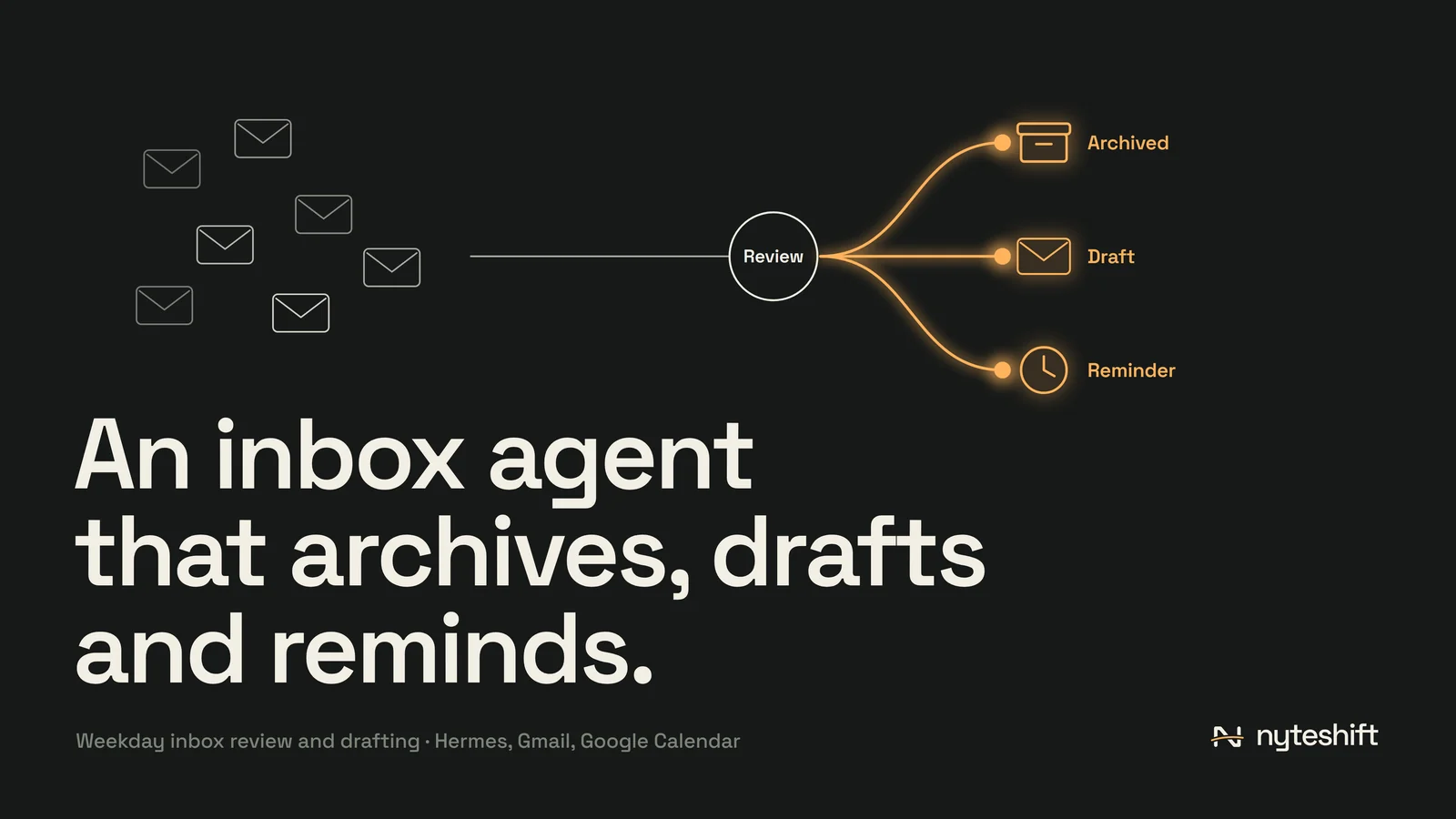
- Mail that needed action was easy to lose in my work inbox, and so were follow-ups. Replies to customers still had to come from me.
- What I built
- I set up an agent on Hermes that reviews my work inbox each weekday. It archives finished mail by rules I set, drafts replies and sets Calendar reminders for next-day follow-ups.
- What changed
- Finished mail is out of the way, follow-ups come back as reminders, and replies stay drafts until I send them.
-
Custom system
Workdesk
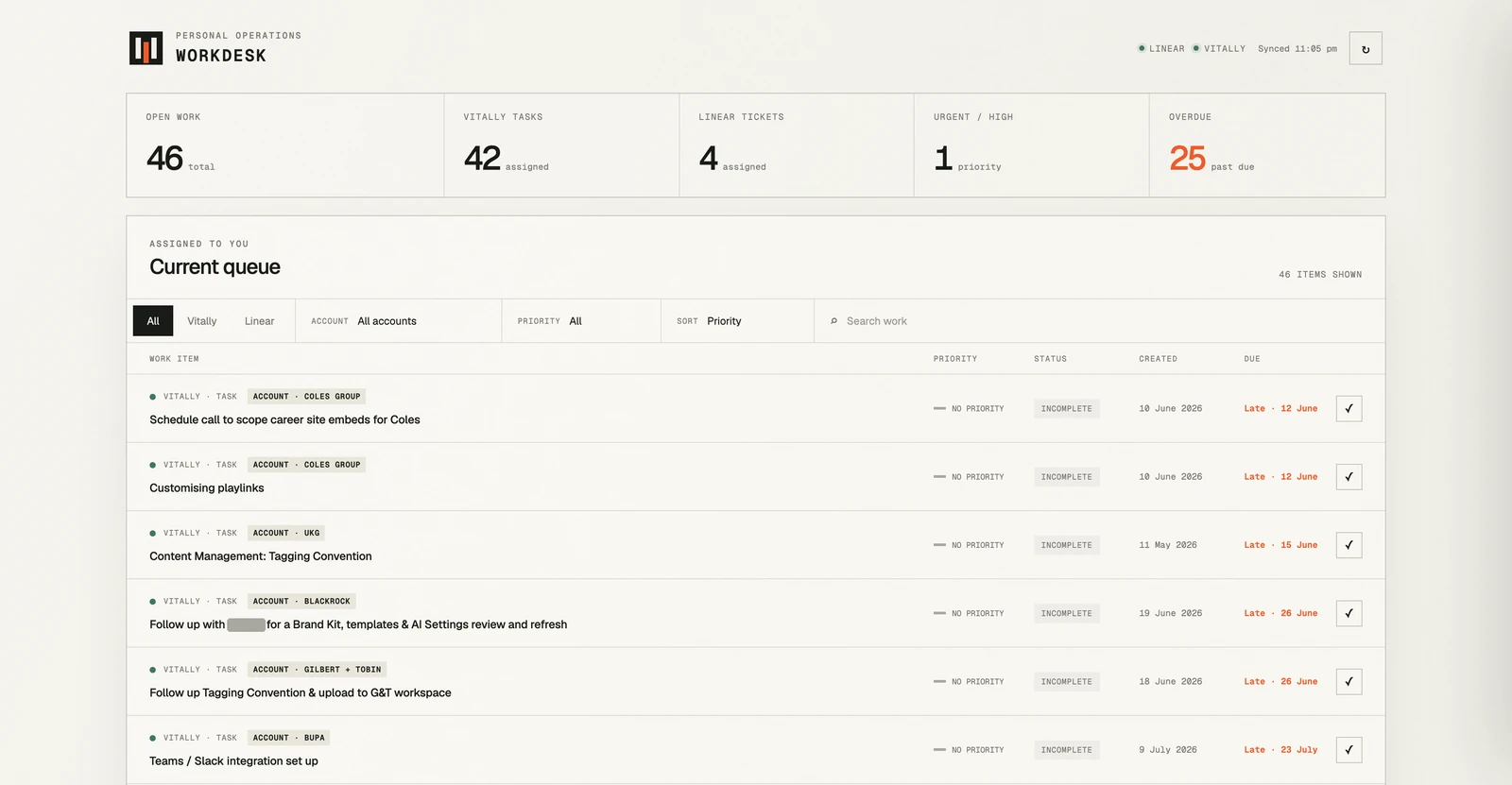
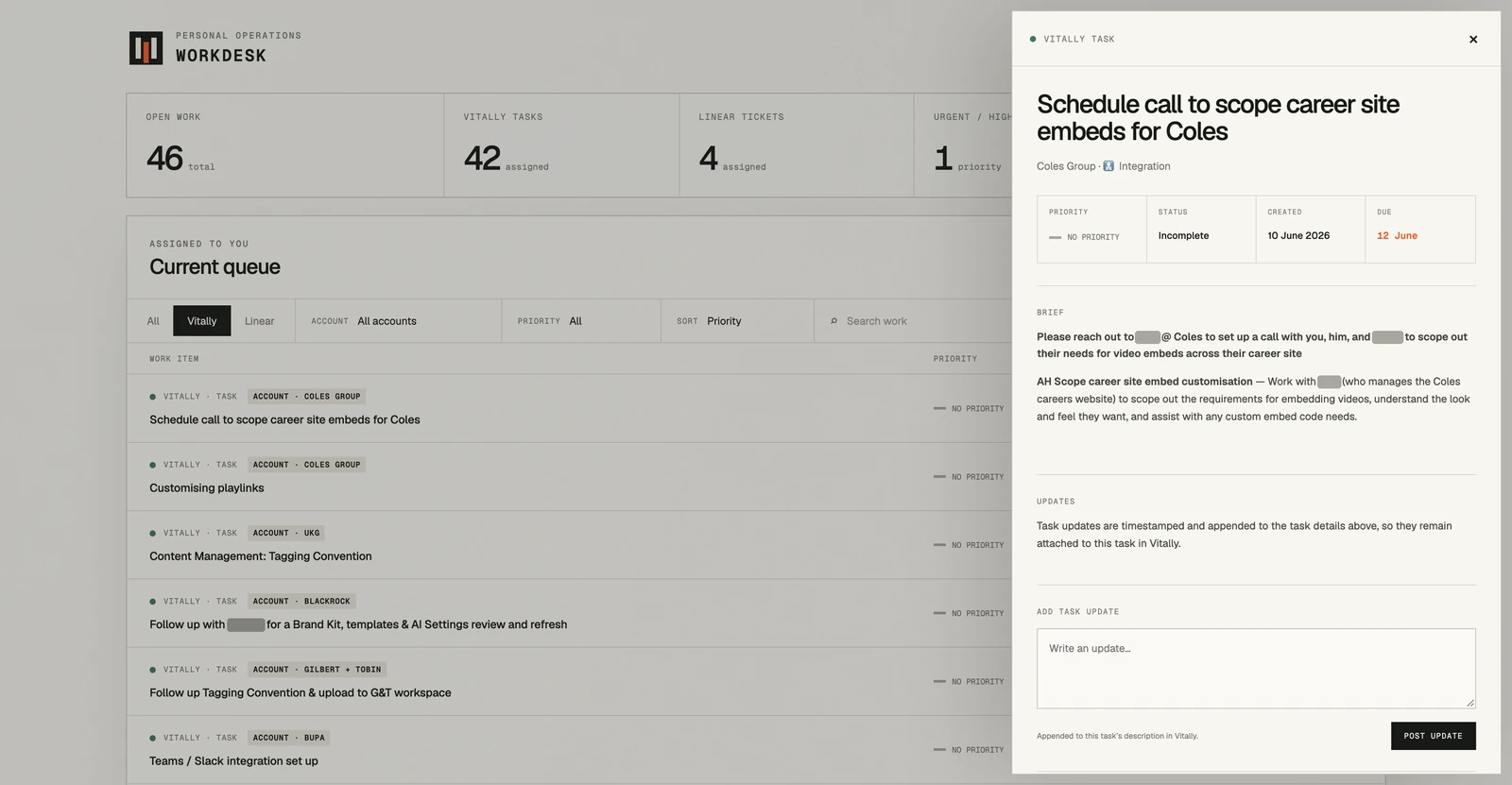
![Workdesk's current queue: counters for open work, Vitally tasks, Linear tickets, urgent and overdue items, above one list of assigned work with source, account, priority and search filters. People's names are masked.]()
![A Vitally task open in Workdesk's drawer beside the queue: its brief, priority, status and dates, and a box for adding an update to the task. People's names are masked.]()
- The problem
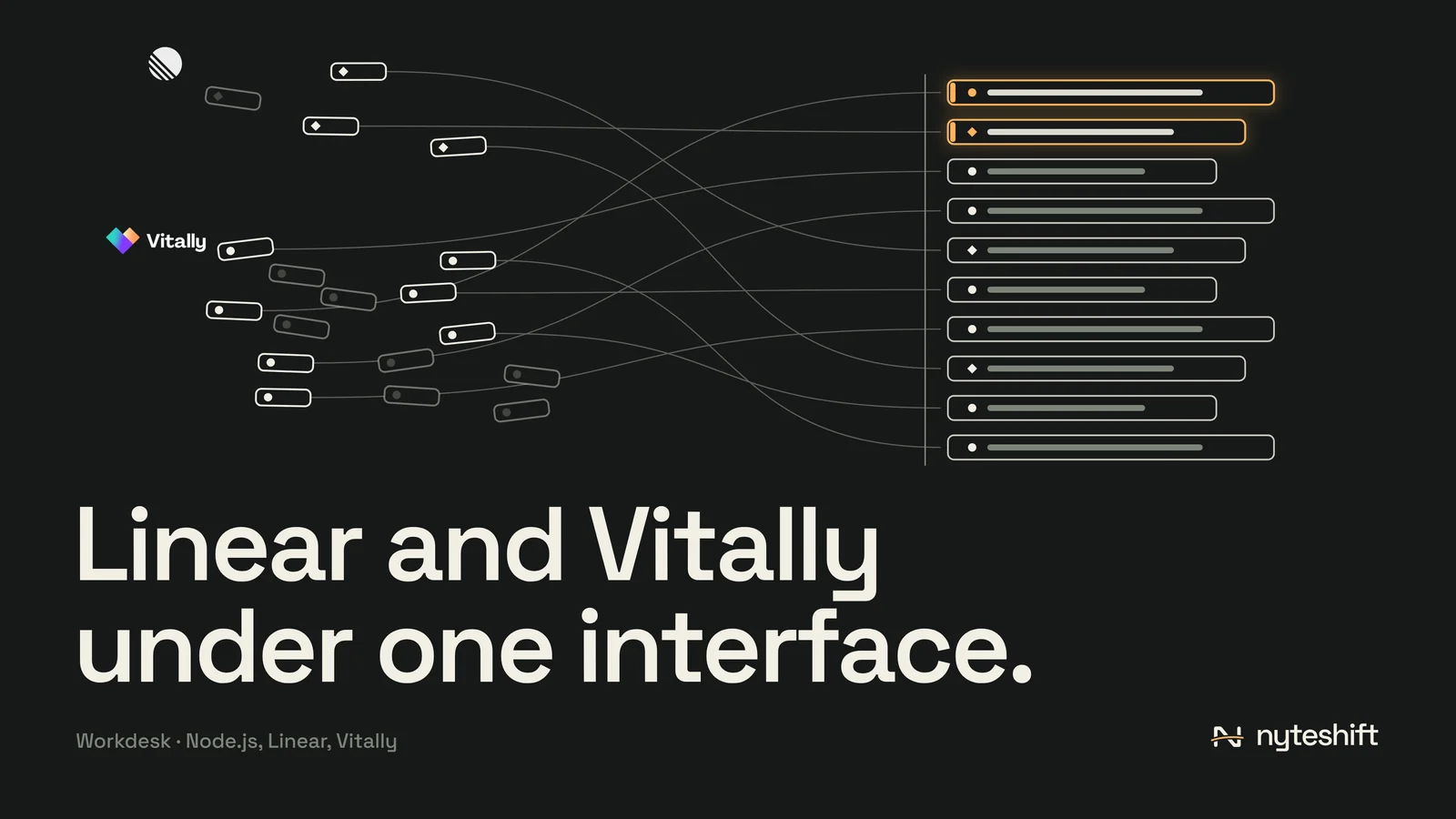
- My work was split between Linear issues and Vitally tasks, so planning the day started with checking both.
- What I built
- One queue for both, with search, filters and overdue flags. Changing a status, commenting or completing a task writes back to the original tool.
- What changed
- One place to work through the day, and no extra task list to keep up to date.
-
Automation
Product updates hub
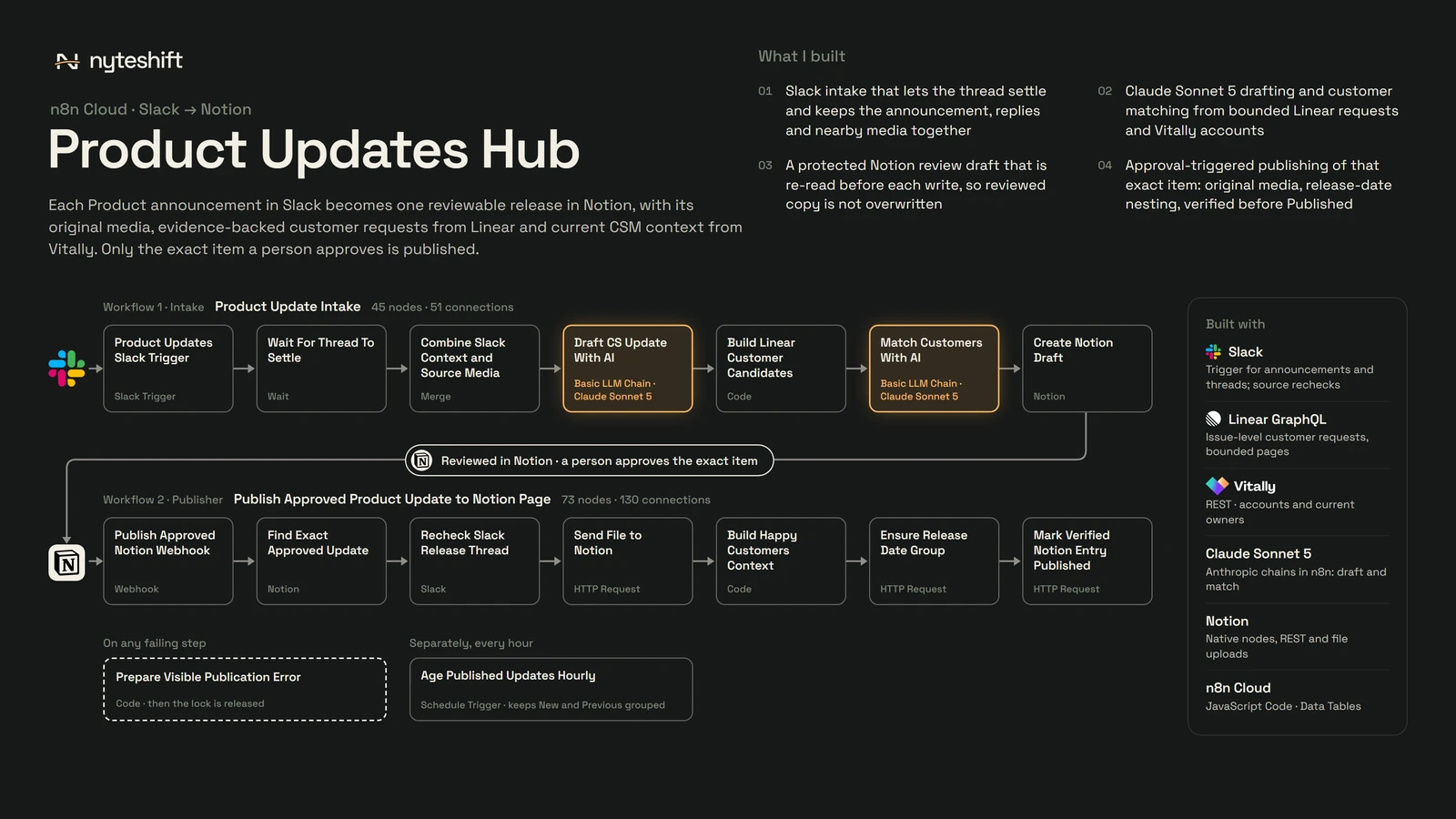
![The Product Updates Hub case study: what I built, the tools it runs on, and its two n8n workflows, intake and publisher, with a person approving the exact item in Notion between them.]()
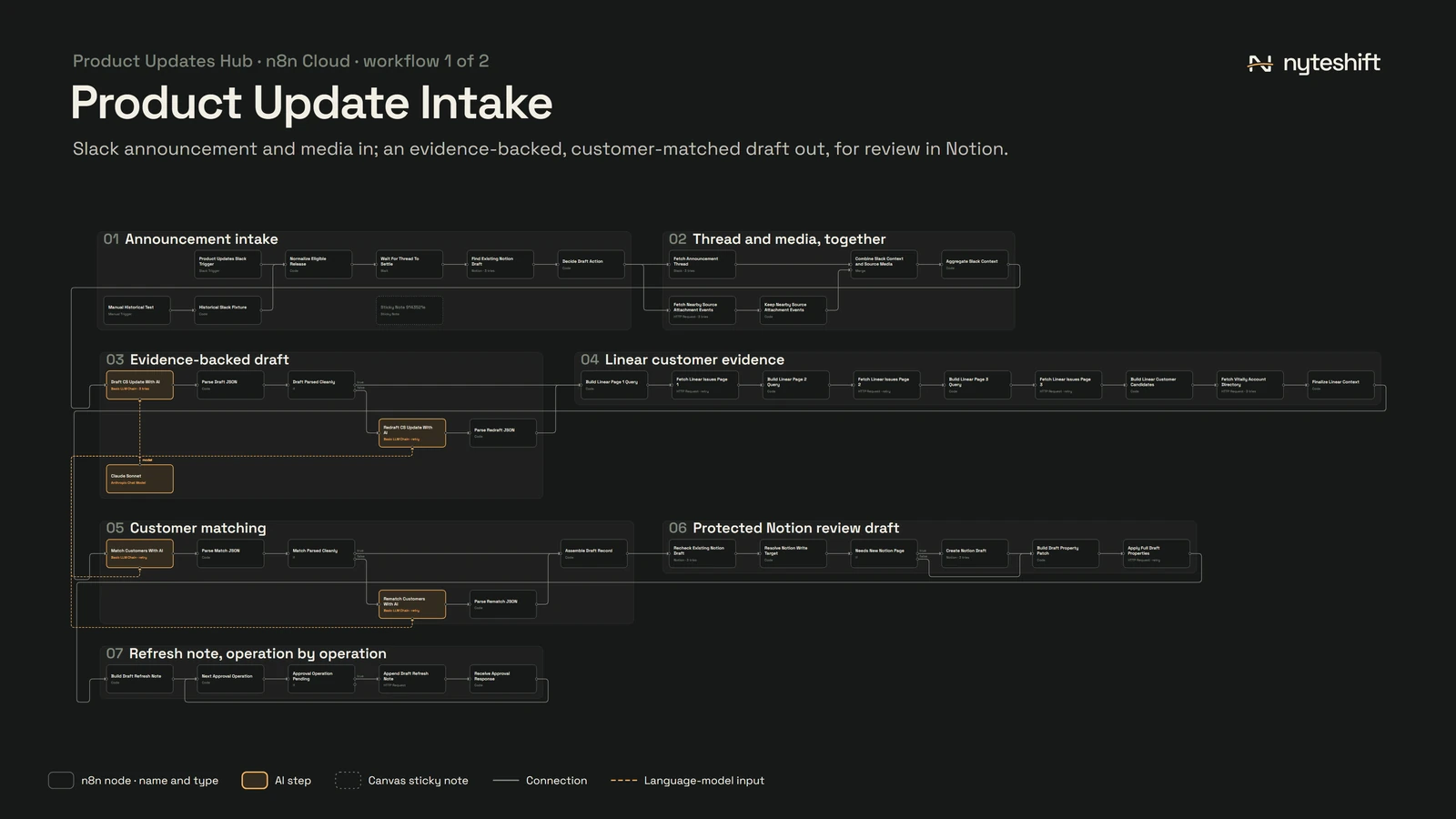
![The Product Update Intake workflow laid out for reading: its 45 n8n nodes in seven stages, from the Slack announcement to a protected review draft in Notion.]()
- The problem
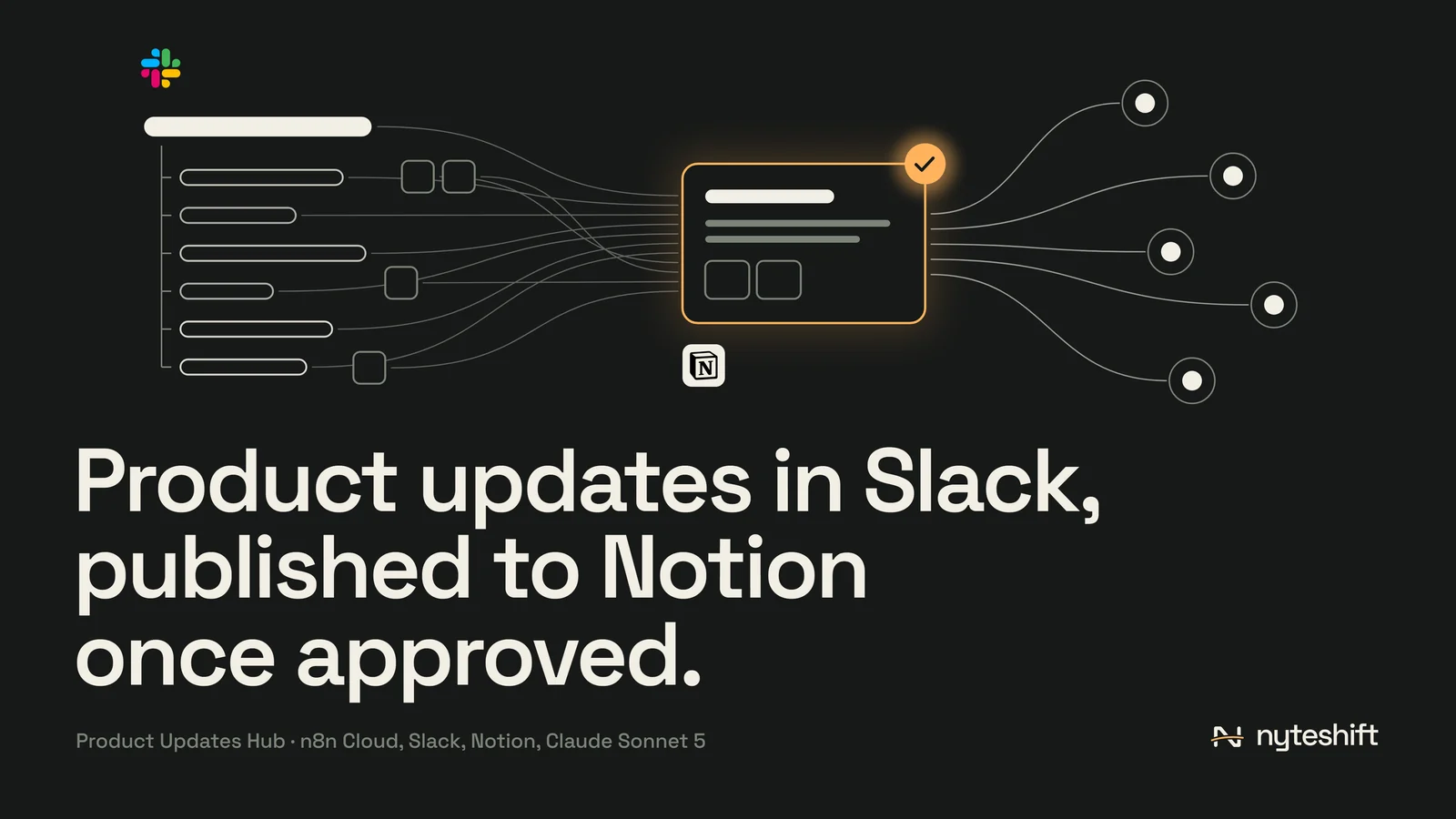
- A feature ships. The customers who asked for it should hear about it, but finding them meant piecing together Slack, Linear and Vitally by hand.
- What I built
- A workflow that matches each release to customer requests in Linear, finds the account owner in Vitally and drafts the update in Notion.
- What changed
- Once someone approves it, the update is published. Customer Success can see who to follow up with, and why.
-
Automation
Try Vouch
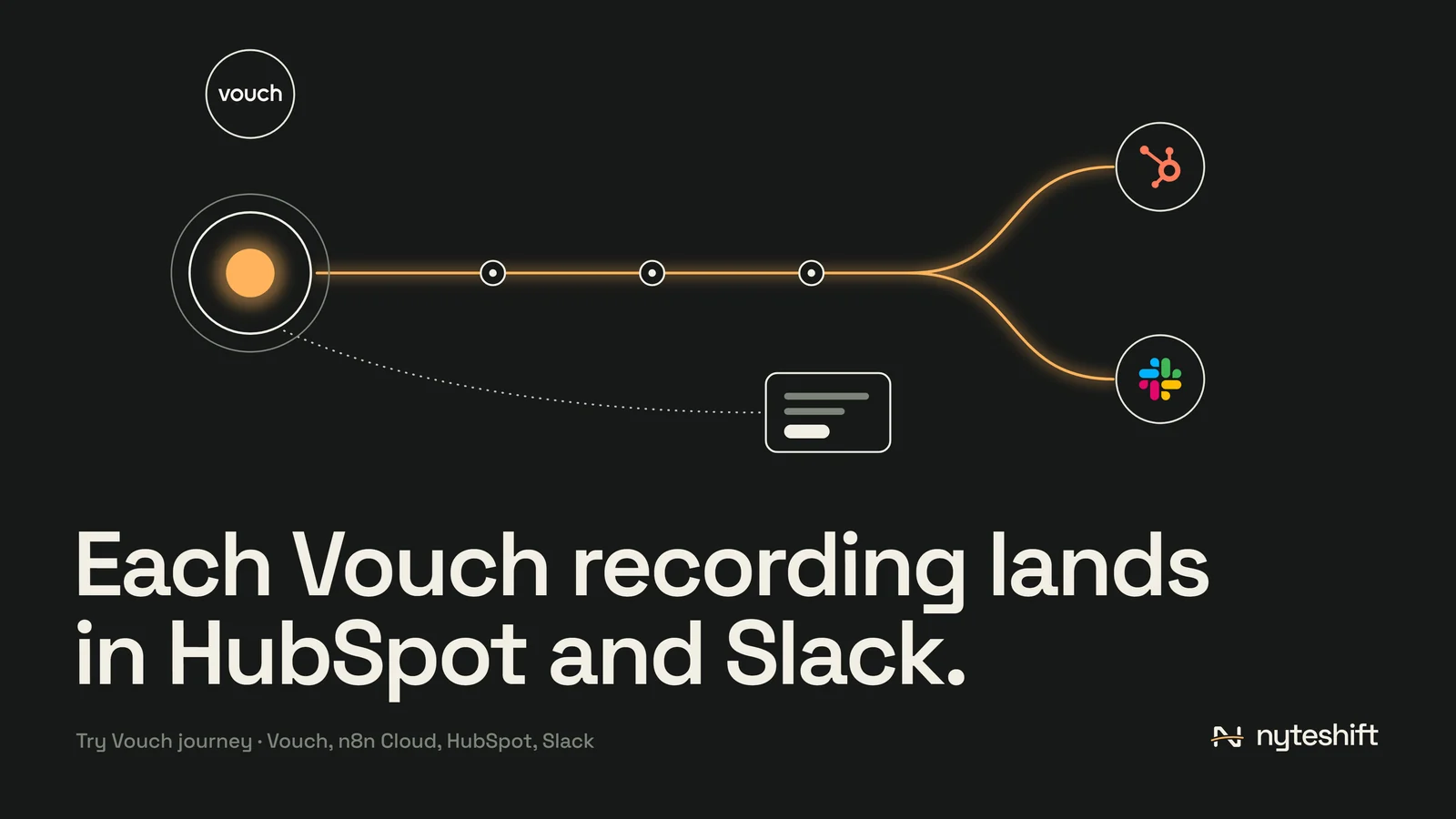
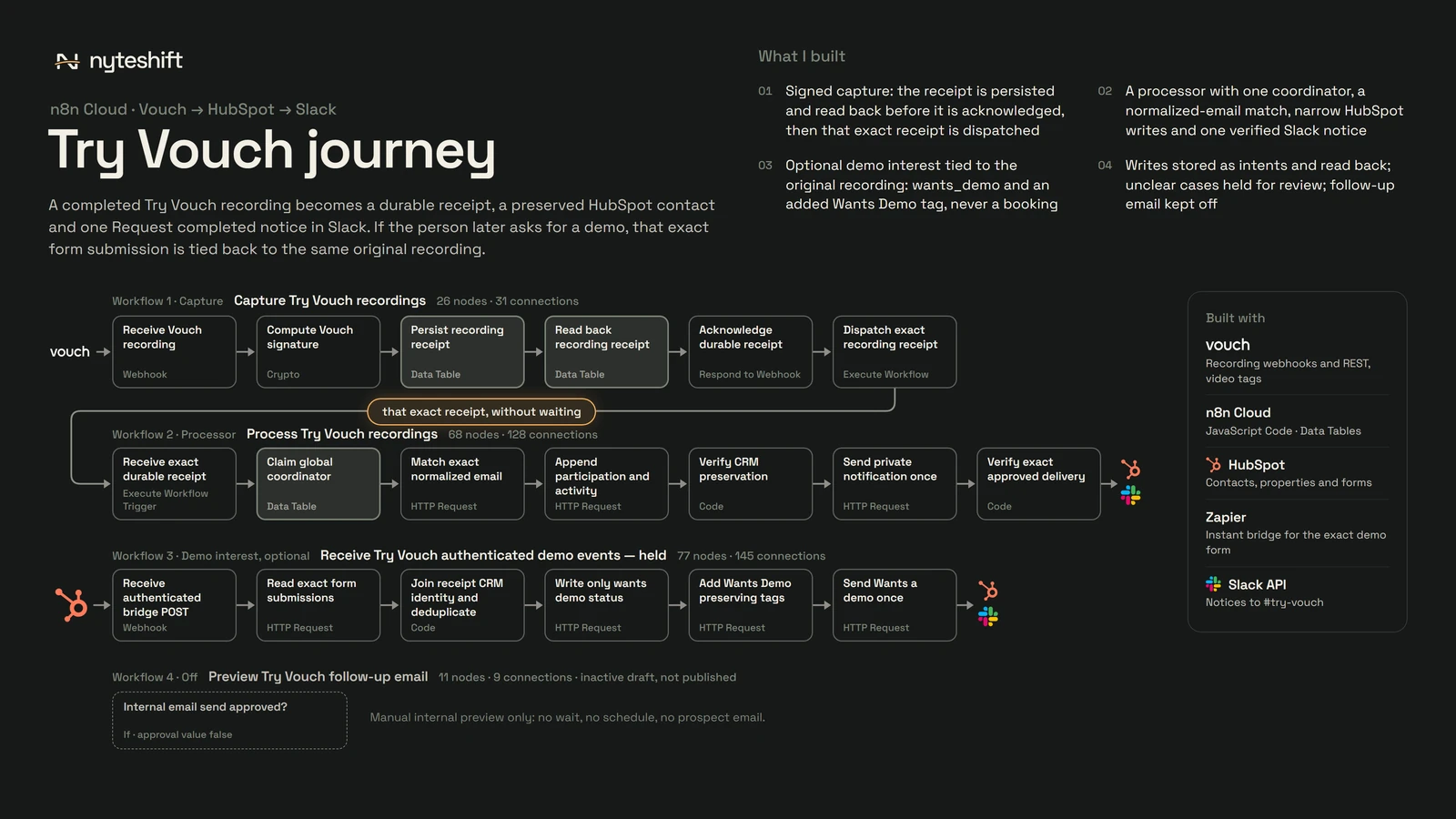
![The Try Vouch journey case study: what I built, the tools it runs on, and its four n8n workflows: capture, processor, demo interest, and a follow-up email preview that is switched off.]()
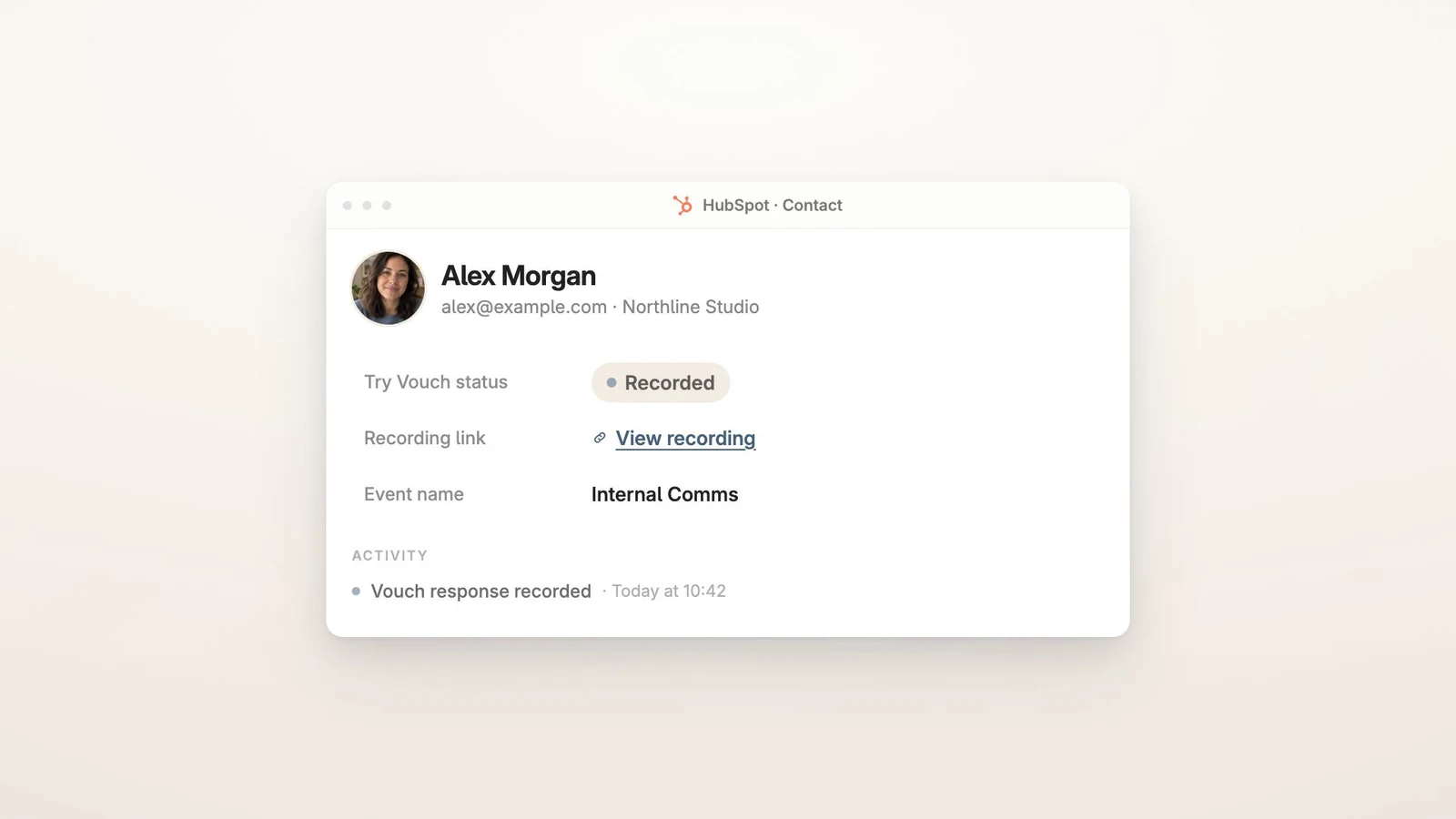
![A frame from the Try Vouch film: a HubSpot contact for a sample participant, Alex Morgan, with the Try Vouch status Recorded and a View recording link.]()
- The problem
- Someone finishes a Try Vouch recording. The team needs to know who it was and where to watch it, and a later demo request should lead back to the same recording.
- What I built
- Event-driven n8n workflows that match a completed recording to the person's HubSpot contact, add the recording link and send the team one Slack notification.
- What changed
- If that person later asks for a demo, the request is linked back to the same recording, tagged Wants Demo and posted to Slack.
-
Website
Ready, Safe, Go
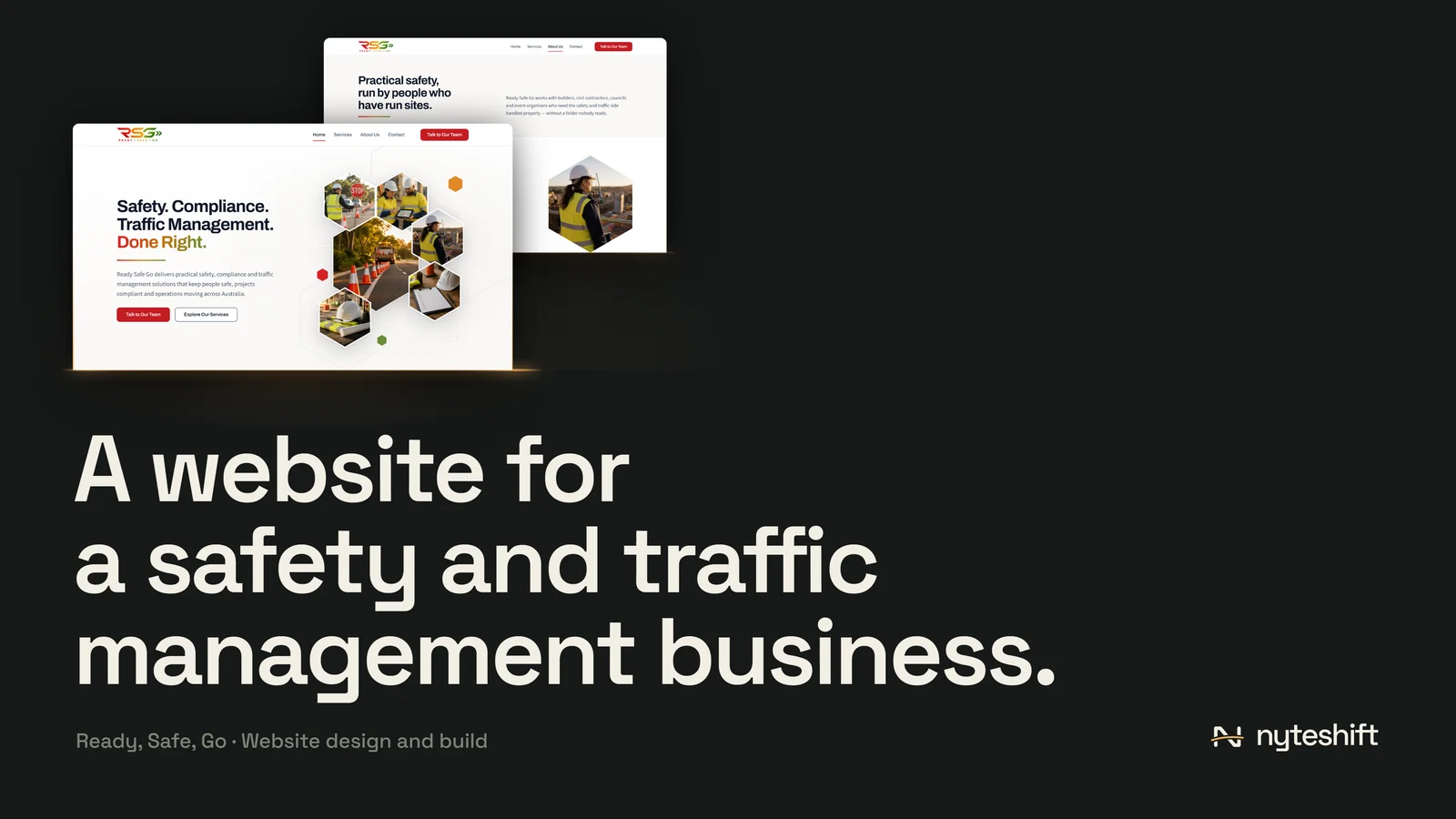
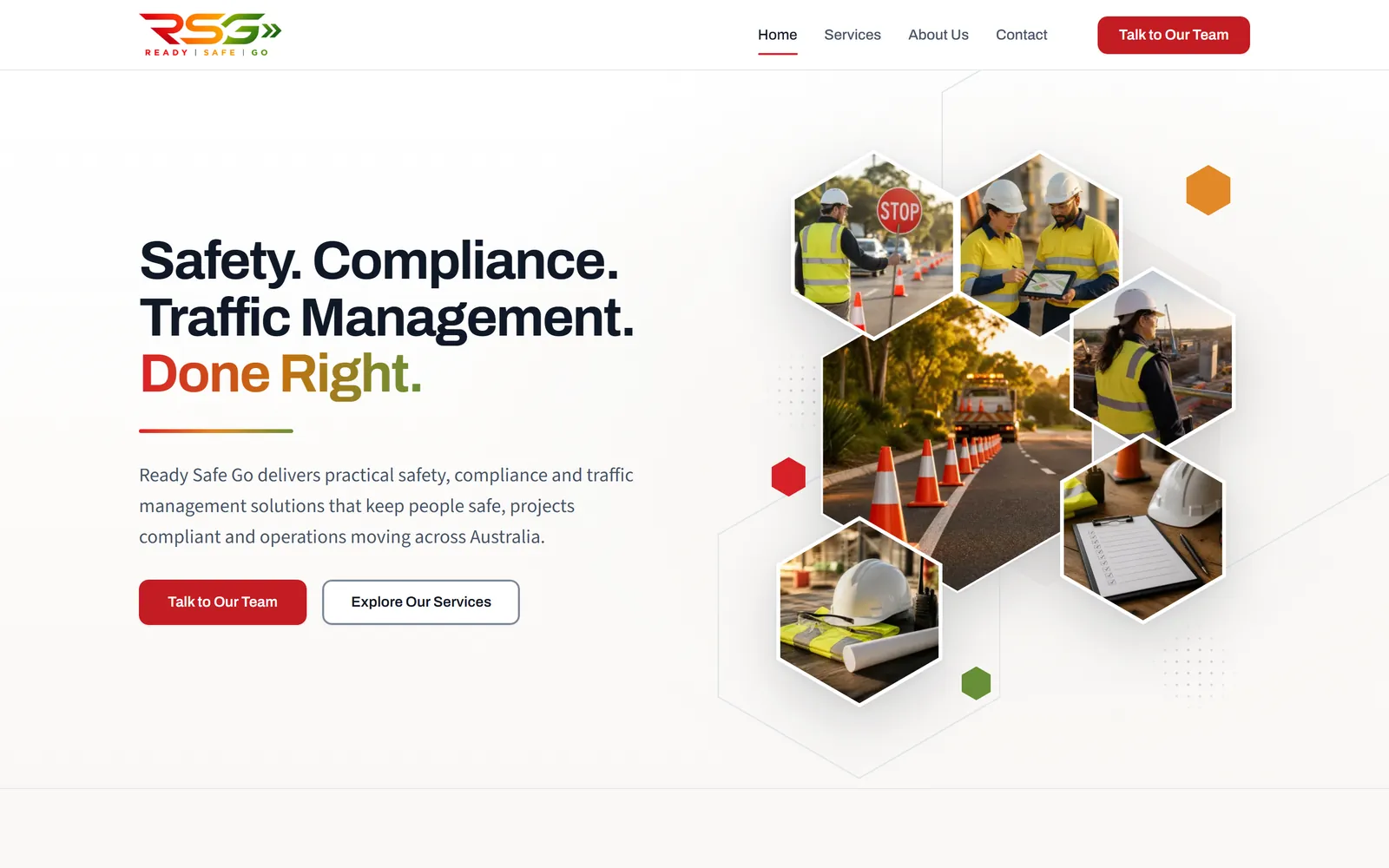
![The Ready Safe Go homepage: Safety. Compliance. Traffic Management. Done Right.]()
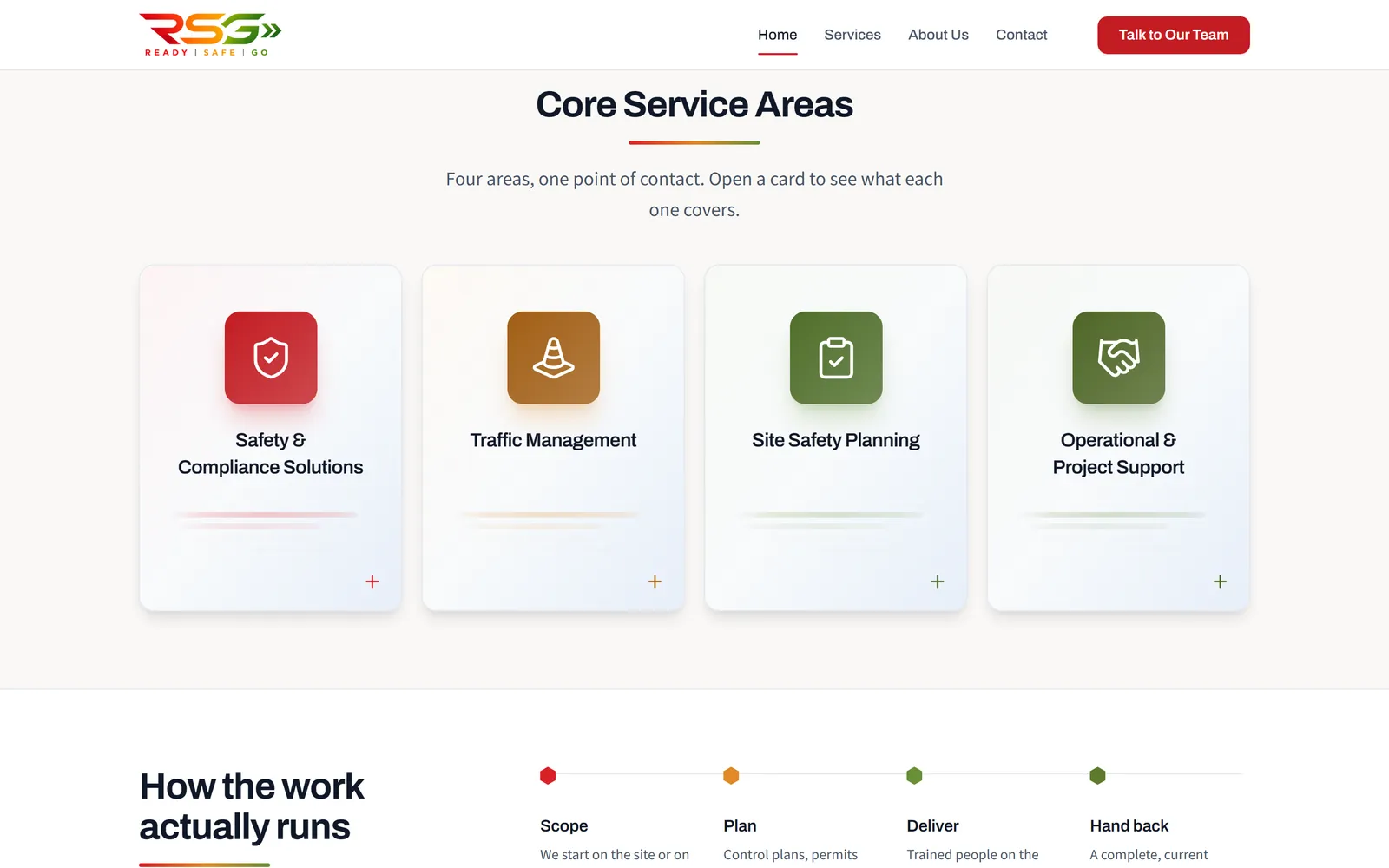
![Core Service Areas: four service cards, each with a plus to open it]()
- The problem
- Ready Safe Go, an Australian safety, compliance and traffic management business, had a mock-up and needed a real site.
- What I built
- I designed and built the four pages, Home, Services, About Us and Contact, with careful button details and service cards that open up.
- What changed
- Visitors can open each service to see what it covers, then get in touch from any page.
-
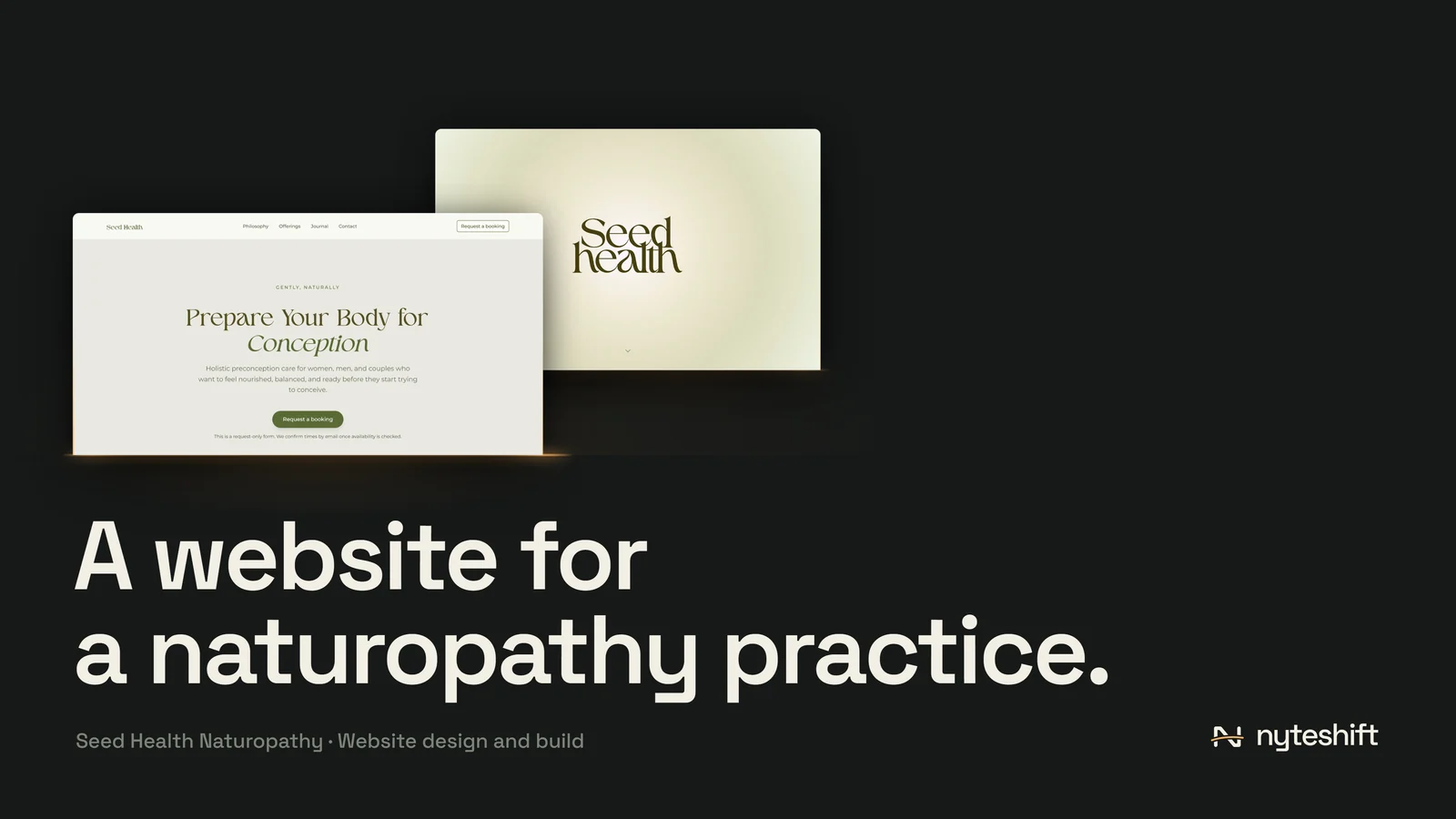
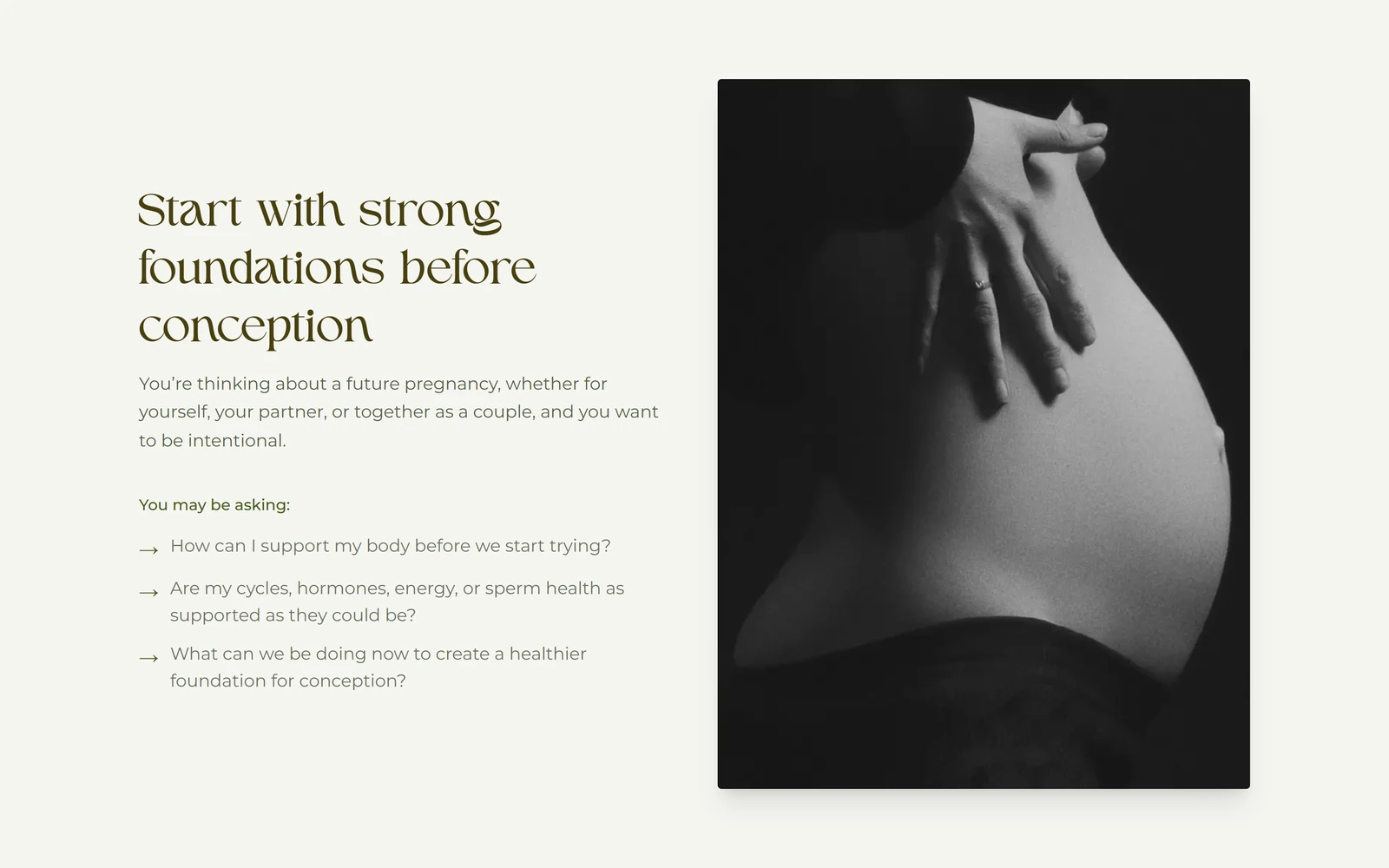
![The Seed Health homepage below the opening: Start with strong foundations before conception, with the questions a visitor may be asking, beside a black-and-white photograph of a hand resting on a pregnant belly.]()
- The problem
- A naturopathy practice offering holistic preconception care needed a website.
- What I built
- I designed and built the site, from the opening animation through to the homepage and the booking request.
- What changed
- The site is live, and visitors get a quiet moment before the homepage opens out.
-
Your project
could be next.
How I work
- 01
Tell me what you need.
Bring the idea, the awkward process or the thing that isn't working. We'll talk through the job and what a useful result looks like.
- 02
Agree on the approach.
I'll work out what to build, what it involves and what it will cost. We agree on the scope before the build starts.
- 03
Build it. Try it. Refine it.
I lead the build and share work you can actually try. Your feedback shapes the details as we go.
- 04
Put it to work.
We check it together, then I see the handover through and make sure you know how to use what we've built.
Let's work together.
Tell me what you'd like to build or improve. A few sentences and a useful link are plenty to start.


